
Screenshots


App details
- Version
- 1.4
- Size
- 3.66 MB
- Updated
- July 29, 2019
- Requires
- Windows 8
- Language
- English | French
- License
- Free
- Developer
- More programs (8)
- Category
- Windows OS
SoftPas in:
This product is also available in the following languages:
About Sticky Agenda
Download Sticky Agenda – Free Sticky Notes Sync Tool for Windows, Mac, Linux
Overview
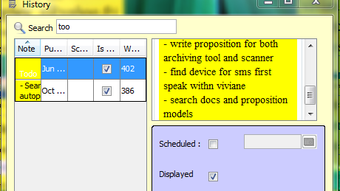
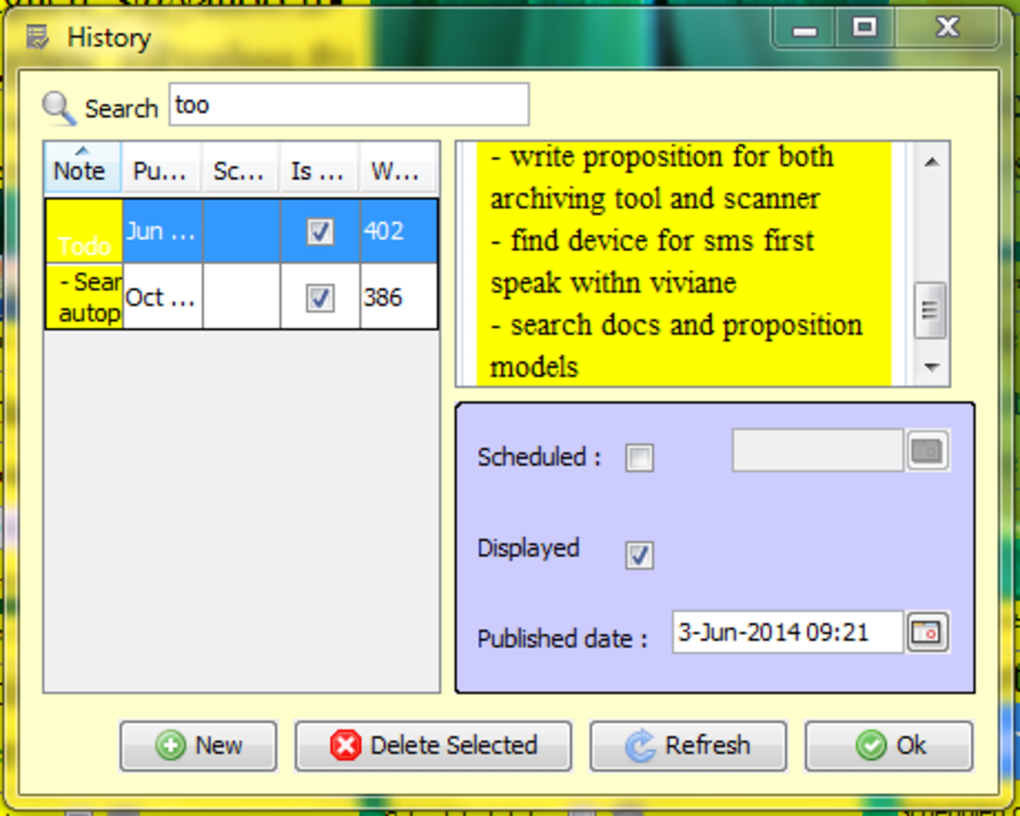
Sticky Agenda is a lightweight, Java‑based application that transforms the classic yellow‑note experience into a fully digital, cross‑platform solution. Designed for people who love the simplicity of sticky notes but need the power of synchronization, the tool lets you create, edit, and schedule reminders on virtual stickers that can be resized, duplicated, and moved around your desktop. Because it runs on Java, Sticky Agenda works on most modern desktop operating systems—including Windows, macOS, and Linux—without requiring separate native builds. The interface mimics a real‑world corkboard: each note appears as a bright, yellow rectangle that you can drag, stack, or color‑code for quick visual reference. What sets Sticky Agenda apart is its built‑in scheduler; you can embed reminder dates directly into the note’s text and choose flexible activation windows ranging from a single day to an entire year. Whether you’re a student juggling assignments, a project manager tracking milestones, or a home office user keeping personal to‑dos in view, Sticky Agenda offers a secure, free, and easily accessible way to keep your thoughts organized across multiple computers.
Key Features & Benefits
- Cross‑Device Synchronization: All notes are stored in a cloud‑ready folder, allowing instant updates on any computer where the app is installed.
- Java‑Based Compatibility: Runs on Windows, macOS, and Linux without separate installers.
- Resizable Sticky Notes: Change the size of each note to fit short memos or longer project outlines.
- Multiple Note Instances: Create as many notes as you need; each acts as an independent window.
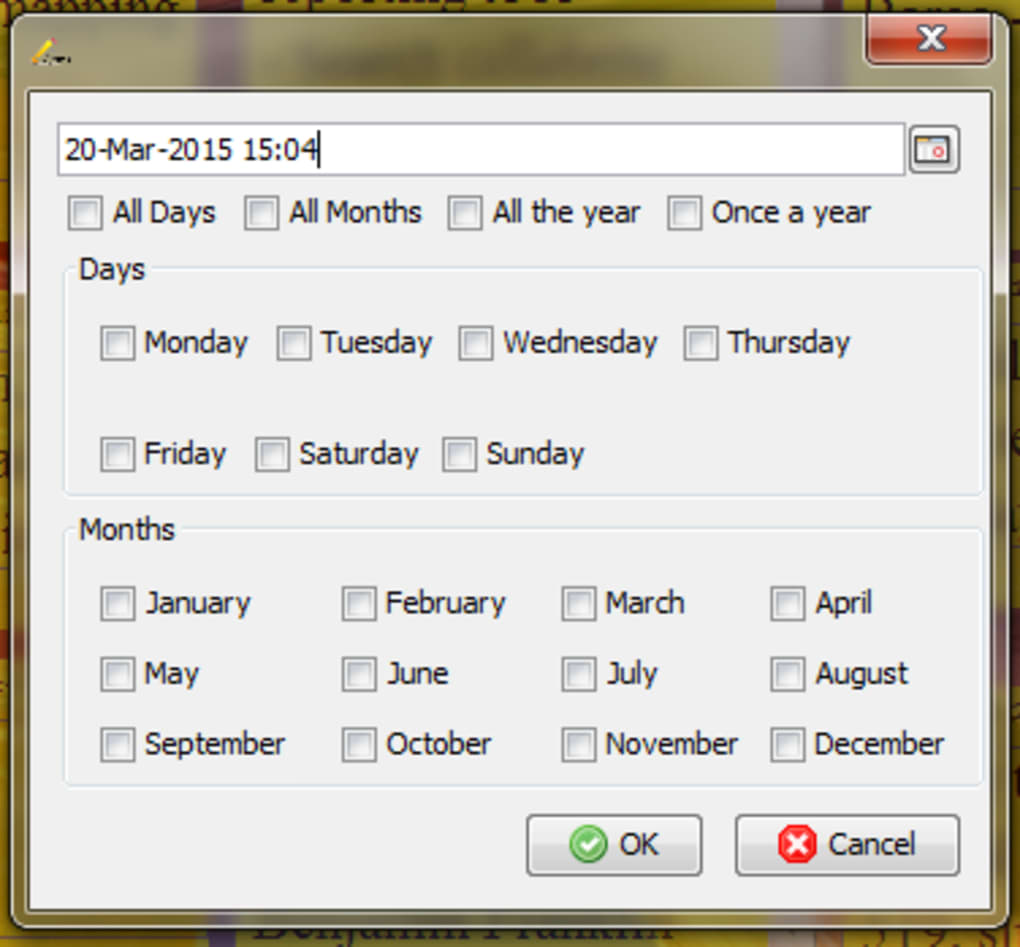
- Integrated Scheduler: Embed dates in plain text and set reminders for days, months, or years ahead.
- Custom Reminder Alerts: Choose popup notifications, sound alerts, or email reminders (with optional extensions).
- Secure Local Storage: Notes are encrypted on disk, and synchronization can be limited to a private network folder.
- Lightweight Footprint: Uses minimal RAM and CPU, keeping your system fast while the notes stay visible.
- Free Updates: Regular bug‑fixes and feature enhancements are released without cost.
- Simple UI: No steep learning curve—just click, type, and drag.
Why These Features Matter
The ability to sync notes across computers eliminates the classic “sticky note lost when I change laptops” problem. Because Sticky Agenda stores its data in a folder you control, you can back it up to any cloud service (Dropbox, Google Drive, OneDrive) or a private server, ensuring your reminders are never lost. The flexible scheduler lets you treat each note as a mini‑task manager, turning simple text into actionable alerts. For developers or power users, the Java foundation means you can even extend the app with plugins or custom scripts, opening the door to integration with other productivity tools like Trello or Notion. The minimal resource usage ensures that even older hardware can keep a handful of notes on screen without slowing down other applications. Overall, these features combine to create a robust yet uncomplicated digital corkboard that fits into any workflow.
Installation, Usage & Compatibility
Step‑by‑Step Installation
- Visit the official Sticky Agenda download page and click the “Download for Windows/macOS/Linux” button that matches your operating system.
- Because the app is Java‑based, ensure you have Java Runtime Environment (JRE) 8 or higher installed. If not, a link to the latest JRE is provided on the download page.
- Extract the downloaded ZIP file to a location of your choice (e.g.,
C:\Program Files\StickyAgendaon Windows). - Run the
StickyAgenda.jarfile. On macOS, you may need to allow the app in System Preferences → Security & Privacy. - During the first launch, you’ll be prompted to select a sync folder. Choose a cloud‑synced directory (e.g., Dropbox) or a local folder if you prefer manual syncing.
How to Use Sticky Agenda Effectively
After launching, a single yellow note appears on your desktop. Double‑click the note to edit its content. To create a reminder, type a date in the format YYYY‑MM‑DD followed by a colon and your reminder text (e.g., 2025‑12‑01: Submit tax documents). The app automatically parses the date and schedules a notification for the specified day. You can also right‑click any note to access options such as “Resize,” “Duplicate,” “Change Color,” or “Delete.” For advanced scheduling, open the “Reminder Settings” panel, where you can set recurring alerts (daily, weekly, monthly) and choose the notification method. All changes are saved instantly to the sync folder, so any other device running Sticky Agenda will reflect the updates within seconds.
Compatibility
Sticky Agenda’s Java foundation guarantees broad compatibility. Officially supported operating systems include:
- Windows 10, 11, and Server editions (64‑bit)
- macOS 10.13 (High Sierra) and later
- Major Linux distributions (Ubuntu, Fedora, Debian, OpenSUSE) with a standard JRE installed
Because the application does not rely on OS‑specific APIs, it also works on less common platforms such as Raspberry Pi OS (ARM) and other JVM‑compatible environments. Users should ensure that the system’s Java version is up to date to avoid compatibility warnings.
Pros, Cons & Frequently Asked Questions
Pros
- Free and open‑source, with no hidden fees.
- True cross‑platform sync via any cloud folder.
- Lightweight, low‑resource footprint.
- Highly customizable reminder system.
- Secure local storage with optional encryption.
Cons
- Requires Java runtime, which some users consider an extra dependency.
- Limited native mobile support (iOS/Android) – currently desktop‑only.
- No built‑in calendar view; reminders appear as popups only.
- Interface is deliberately simple, lacking advanced styling options.
Frequently Asked Questions
Is Sticky Agenda really free?
Yes, Sticky Agenda is completely free to download and use. There are no hidden subscription fees or premium tiers.
Do I need an internet connection to use Sticky Agenda?
You only need an internet connection for syncing notes between devices. All core features—creating, editing, and scheduling notes—work offline.
Can I encrypt my sticky notes?
Yes. Sticky Agenda stores notes in a local folder, and you can enable encryption via third‑party tools (e.g., VeraCrypt) or by configuring Java’s built‑in security settings.
How does the reminder system detect dates?
The app parses any text that matches the YYYY‑MM‑DD pattern. Once detected, it creates a scheduled notification for that date, which can be customized in the Reminder Settings panel.
Is there a mobile version of Sticky Agenda?
Currently, Sticky Agenda is a desktop‑only application. The development team has expressed interest in a mobile companion, but no official iOS or Android version exists yet.
Overall Verdict: Sticky Agenda delivers a surprisingly powerful sticky‑note experience that bridges the gap between analog simplicity and digital convenience. Its free price tag, cross‑platform sync, and robust reminder engine make it a solid choice for anyone looking to keep ideas and tasks visible across multiple desktops.
Conclusion & Call to Action
In a world where productivity tools often overwhelm with features, Sticky Agenda cuts through the noise with a focused, easy‑to‑use approach. By turning the familiar yellow sticky note into a sync‑ready, schedule‑enabled digital asset, it empowers students, professionals, and home users alike to keep their most important thoughts front and center—no matter which computer they’re working on. The free, Java‑based architecture ensures that anyone with a modern operating system can benefit without paying a cent or dealing with complex licensing. While the lack of native mobile support and the reliance on Java might be minor drawbacks, the overall value proposition outweighs these limitations for most desktop‑centric workflows.
Ready to bring order to your digital workspace? Free download Sticky Agenda today, set up your sync folder, and start creating reminders that travel with you. Stay organized, stay synced, and let every sticky note count.
Guides & Tutorials
How to install Sticky Agenda
- Click the Download button above.
- Once redirected, accept the terms and click Install.
- Wait for the Sticky Agenda download to finish on your device.
How to use Sticky Agenda
This software is primarily used for its core features described above. Open the app after installation to explore its capabilities.
User Reviews
No reviews yet. Be the first to share your experience.
You may also like
more
Llama 2
Free-to-use large language model As the new addition to Meta’s arsenal of langua...

NotebookLM
Revolutionizing the note-taking and idea-generation process NotebookLM is an exp...

Github co pilot
AI-inspired software development and coding platform GitHub Copilot is a browser...

Google Gemma
Google’s lightweight AI models Introducing Google Gemma , a family of cutting-ed...

AI Image Enlarger
A free app for Windows, by ai-image-larger. AI Image Enlarger is a free software...

DALL E
AI-driven text-to-image transformation engine DALL·E is a free graphic and desig...